Account & teams
Workspaces and members
A workspace is Zegami's unit of ownership and collaboration: collections live in one, and access to a private collection follows that workspace's membership and roles.
Last updated 2026-05-29
What a workspace is
Every collection belongs to exactly one workspace. Access to a private collection is governed by who is a member of its workspace and what role they hold. Use separate workspaces per team or project to keep collections and people cleanly scoped.
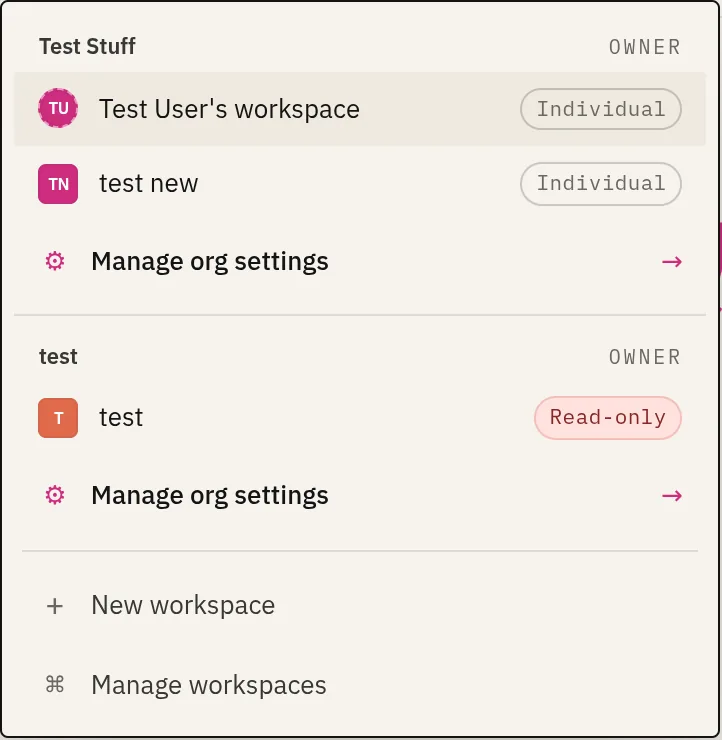
Switch between your workspaces with the workspace switcher dropdown in the top bar. Create new ones from there or from your account page.
Members and roles
Open Workspace settings → Members to manage who’s in:
- Owner — full control, including deleting the workspace.
- Admin — manage members and collections.
- Member — work with collections per their grants.
Admins can invite new members by email.
Accepting an invitation
When you’re invited, you get an email with a link. Opening it lands you on an accept page:
- Sign in (or create an account) with the invited email address.
- Accept the invitation — you’re added to the workspace (or organisation) with the role the inviter chose.
- You’re dropped into the workspace, and it appears in your workspace switcher from then on.
Organisation invites work the same way and can carry workspace grants, so accepting one can join you to the org and the right workspaces at once. See Organisations. Roles you might be granted are summarized in Roles & permissions.
Trash
Deleting a collection doesn’t destroy it immediately — it moves to the workspace Trash tab, where you can restore it or permanently delete it within the retention window. This is the recovery path if a collection is removed by mistake (deletion is initiated from a collection’s Actions tab — see Collection settings).
General
The General tab shows the workspace name, created date, its state (active / archived), and the organisation it belongs to (if any).
Workspaces under an organisation
A workspace can sit under an organisation, which adds a layer of centralized membership and billing above individual workspaces. Org membership and workspace membership stay distinct — being in the org doesn’t by itself grant access to a workspace’s collections. See Organisations.
See also
- What each role can do, in tables: Roles & permissions.
- Make a collection visible beyond the workspace: Sharing & publishing.
- Centralized billing and membership: Organisations.