Collections
Sharing and publishing collections
A collection's visibility runs from fully private to publicly browsable. This guide covers the visibility levels, custom share URLs, featuring on the public gallery, and the attribution viewers see.
Last updated 2026-05-29
Sharing is controlled from the Sharing tab of collection settings (see Collection settings for the full tab tour).
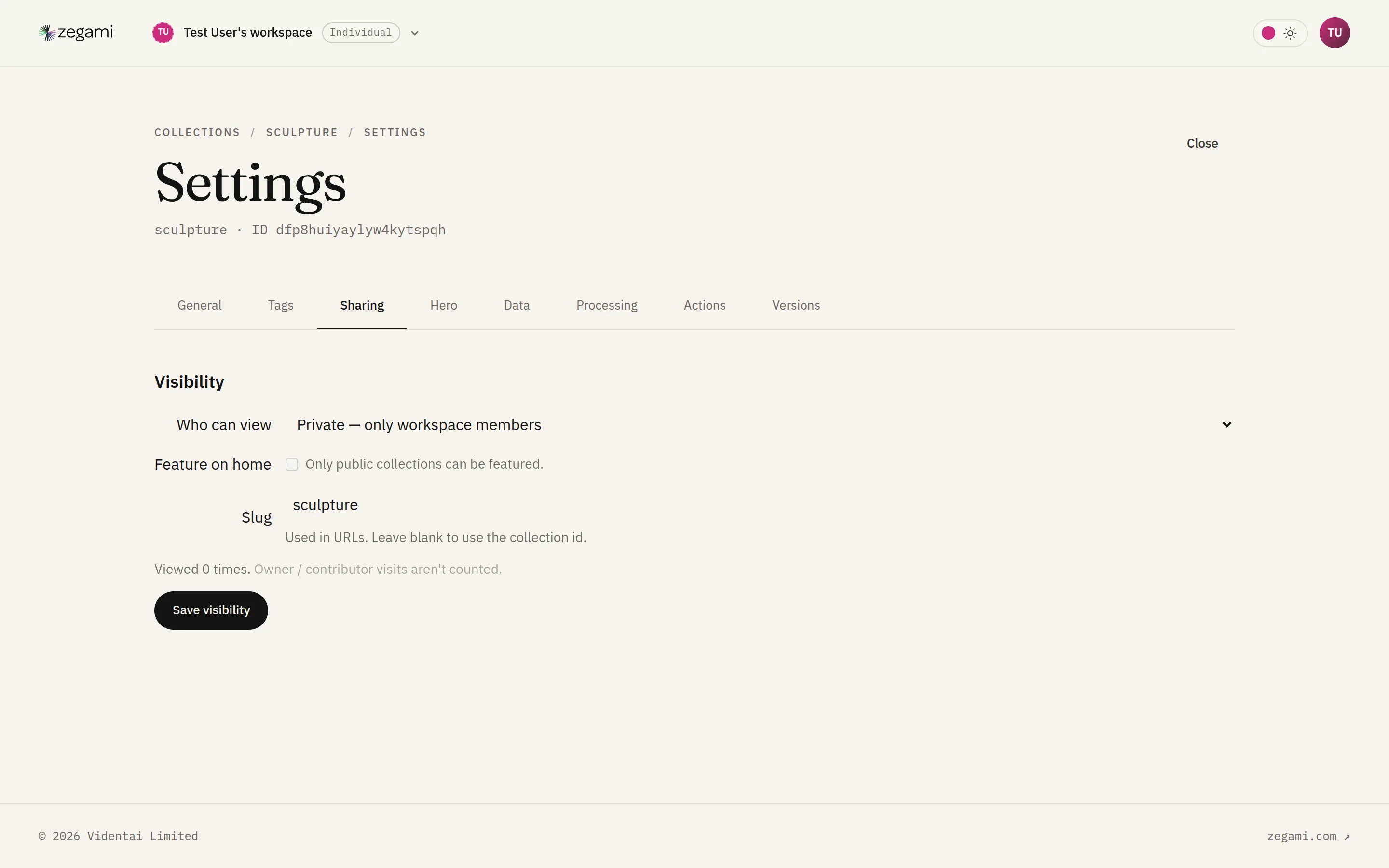
Visibility levels
- Private — only members of the owning workspace can open it. Access follows workspace roles (see Workspaces).
- Unlisted — anyone with the link can open it, but it doesn’t appear in the public browse gallery or search.
- Public — listed in the public Browse gallery, discoverable by search and tag, and openable by anyone.
Changing visibility takes effect immediately. Making a collection public exposes its images and metadata to the world — review the data first.
Custom share URL
Set a slug to get a readable URL (for example /collections/my-collection-name) instead of the random collection ID. Slugs are easier to share in talks, papers, and links. The original ID URL keeps working.
Featuring
Curators can feature a public collection so it surfaces prominently on the public home page and at the top of Browse. Featuring uses a rank you set on the Sharing tab; unfeature by clearing it.
The Browse gallery
Public collections appear at /browse, where visitors can:
- Switch between a tile grid and a list.
- Sort by featured, most recent, or most popular.
- Filter by tag and search by name/description.
Click through to a collection’s public detail page, then into the viewer.
Attribution and licence
Viewers of a public collection see an attribution bar with the source name, link, licence, and any required statement. Set these on the General tab (see Collection settings). For catalogue-sourced collections (the Met, IIIF, etc.) attribution is populated from the source on import.
View count
For public collections, the Sharing tab shows a page-view count so owners can gauge reach.
See also
- Who can view and edit, in tables: Roles & permissions.
- Who can access a private collection: Workspaces.
- Centralized membership across many workspaces: Organisations.